Methods
SSD vs HDD Destruction Methods
A degausser destroys a hard drive and does nothing whatsoever to an SSD. Here is why the two media need different methods, what NIST 800-88 says about flash, and how to build both into one policy.
Of all the recurring questions we handle, one comes up most often and produces the most expensive mistakes: can a degausser destroy an SSD?
No. And an SSD that has been through a degaussing cycle is a completely, fully readable SSD. If your policy says "all media degaussed" and you handle flash, your policy is wrong and your evidence is worthless.
Why the two media are different
A hard drive stores data as magnetised regions on a spinning platter, and a degausser overwrites that magnetisation with a field far stronger than the write head can produce. The pattern is gone.
An SSD stores data as electrical charge in flash memory cells, organised into NAND packages on a PCB. There is no magnetic pattern, so a magnetic field has nothing to act on. On top of that, flash behaves in three ways that matter operationally:
- Removable by design. M.2 and NVMe modules are small, and a failed drive can be re-packaged or re-soldered. A drive pulled from a laptop can leave the building intact.
- Over-provisioned. SSDs reserve hidden capacity the operating system cannot address but a chip-off recovery can read. A drive that reports as fully overwritten can still hold old data in that space.
- Wear levelling and TRIM. Logical overwrites are remapped and deleted blocks are marked rather than always rewritten. What the operating system believes is erased is not always what the NAND contains.
What NIST SP 800-88 says
NIST treats magnetic media and flash differently, and the difference is structural:
— Hard drives and tapes can be purged. Degaussing is a qualifying purge method, because the recording layer can be overwritten by a field.
— Flash and optical media cannot be purged magnetically. They fall under destroy — physical rendering of recovery impossible, including by physical means. Cryptographic erase is a valid purge where the drive supports self-encryption and the keys are irrecoverably destroyed, but it depends on the drive cooperating.
— Physical destruction is the reliable answer for flash, and the method NIST is really pointing at.
Method by method
— Software overwrite or secure erase: unreliable on flash. Over-provisioned areas and remapped blocks may survive. Fine as a clear on media staying in your control; not a disposal method.
— ATA Sanitize Block Erase: usually effective where supported, but drive-dependent and it leaves the device usable — so it is not destruction.
— Degaussing: no effect on flash whatsoever. Complete waste of a cycle for an SSD.
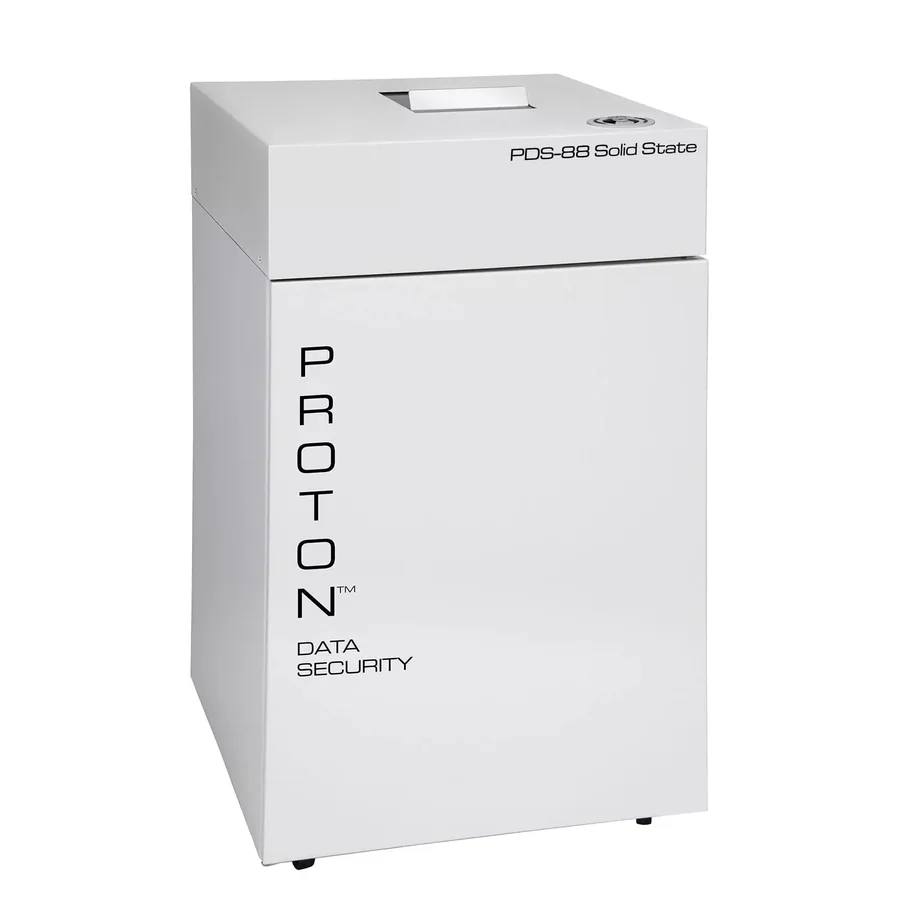
— Shredding: the reliable physical method, and the one that fits in a normal office. The Proton PDS-88 destroys SSDs, phones, tablets, pen drives, SIM cards, credit cards and optical media from a standard wall outlet.
— Crushing or bending: partial. Only sufficient if the NAND packages themselves are destroyed. A bent PCB with intact packages may still be recoverable, which is why shredding to fragments is the dependable answer.
— Incineration: definitive, but environmentally and legally constrained in India.
What is actually in your estate
The exposure is rarely where people expect:
- Servers and storage — enterprise SSDs, M.2 boot drives, and increasingly NVMe-oF targets. Highest volume, highest sensitivity.
- Laptops and desktops — SSD-only on anything bought recently, and the device most likely to be resold or buy-backed.
- Branch and field devices — POS terminals, handhelds, tablets, phones. Distributed, poorly tracked, and physically leaving the building daily.
- Removable media — pen drives, SD cards, external SSDs. Prohibiting removal is the primary control; shredding is the backstop.
- Mobile devices — phones and tablets holding messaging, photos and cached application data. Remove the battery before shredding.
- Payment and identity — credit, debit and ID cards, SIM cards. High volume, high sensitivity, constantly mishandled.
- Optical media — CDs and DVDs carrying imaging, reports and hand-outs.
- Returned equipment stock — a box of unsanitised drives in a storeroom is a finding in itself.
Building it into one policy
- Add flash as a named media class, with destroy as the required level.
- Name the method per device type: shred for phones, cards and bulk SSDs; crypto-erase with destroyed keys for retained self-encrypting drives.
- Specify battery removal for anything with a lithium cell.
- Name who is authorised to operate the shredder, and keep training records.
- Set a consumable replenishment process, so the shredder never runs past capacity and starts producing large fragments.
- Add the shredder model to the register fields you already use for the degausser.
- Add device return and buy-back as named processes. That is where unsanitised SSDs actually leave the building.
- Check for an unassigned media class. The gap is the risk.
The two-machine cell
Once both methods are in scope, the equipment is simple:
— A Proton T-1.5 or T-5 for magnetic media, with per-cycle verification and a digital cycle counter on the T-5.
— A PDS-100 to physically destroy the sanitised magnetic media, with the rear output slide if you process volume.
— A PDS-88 for flash and optical media, in the copy room, from a standard outlet.
For very low flash volume, the PDS-30 with the SSD kit covers it without a second machine. For industrial volume, the PDS-SSD destroyer is faster.
The mistake to avoid
The costliest outcome is not buying the wrong machine. It is running a compliant-looking degaussing programme, producing a register full of satisfied rows, and having a flash device leave the building with its data intact. Nobody finds that in an audit — they find it after an incident.
Enumerate the media by type before the destruction run. It is the cheapest control there is.
Frequently asked questions
Straight answers to the questions Indian buyers ask most often. Cannot find yours? Call us — we answer technical questions on the phone.